
Privacy Statement
"HK Utility Map" is a free public tool. There is no account, no login, and we never ask for your name, phone number or email address. This page sets out, item by item, what stays on your device, what reaches our server, what is passed to third parties, and how to remove it.
Last updated: 2026-10-04. This statement also covers the network features of the "Hop In 車埋我" app on both Android and iOS, in its own section below — the two platforms do not send quite the same things, and that section says which.
1. What stays on your device
All of the following is kept in your browser’s localStorage. None of it is transmitted to us or to anyone else, and clearing your browser data removes it immediately.
| Key | What it is for |
|---|---|
hkum_lang | interface language |
hkum_layers2 · hkum_recent_layers · hkum_layers_seen | which layers you switched on, and the ones you used most recently |
hkum_last_loc · hkum_last_nearby | the last point you looked up and its results (kept 24 hours), so the next visit shows something immediately instead of waiting for location |
hkum_saved_locs | locations you saved yourself (up to 30) |
hkum_saved_spots | facilities you starred (up to 50) |
hkum_transit_pins | the departures you pinned |
hkum_open · hkum_taxitype · hkum_evspeed · hkum_routetab · hkum_recyclemat · hkum_left | filter and interface choices (including whether you collapsed the left panel) |
hkum_onboarded · hkum_coach_seen · hkum_od_hint_seen | which one-off hints you have already seen |
hkum_geo_ok | whether you have previously allowed location access (not the location itself) — if you have, the page locates on open; if you have not, we do not raise the permission dialog on load |
hkum_push | whether you turned weather alerts on |
2. Your location
We receive your coordinates only when you tap "use my location" or allow your browser to share it. They go to our server to find nearby facilities and to compute routes and fares. They are not written to any database and are not linked to any identity. You can skip location entirely — typing an address or landmark works just as well.
To be straightforward about one thing: like every website, our host (Google Cloud Run) and Cloudflare keep standard server logs. Those include the request URL — and therefore the coordinates you looked up — along with your IP address, timestamp and browser type. They are retained for the providers’ default periods and we do not use them to analyse individual users.
3. Analytics (Google Analytics)
We use Google Analytics 4 to see aggregate usage — which layers get switched on, which pages get read. Event names come from a fixed list and never carry free text. Before every hit is sent, these parameters are stripped from both the page URL and the referring URL: lat, lng, q, name, a, b, pin — so your coordinates, your search text, place names and route endpoints never reach Google Analytics. Google sets its own cookies for analytics; browser settings or a content blocker will stop them.
4. The little we do store
Apart from the open data itself, our database holds only these four kinds of record:
- Facility reports — only what you submit when you tap "report": the facility name and coordinates, the issue type, your optional note, the interface language, your browser user-agent, the reCAPTCHA score, and a daily-rotating hash of your IP address used to stop abuse, not to identify you. The raw IP is not stored.
- Route-choice measurement — when you pick one of the suggested routes we record the date, time band, weekday/weekend, which position you chose, the mode, how many minutes slower it was than the fastest, and a daily-rotating IP hash. Origin, destination, your search text and any string returned by Google are deliberately never recorded. The journey itself is represented only by a one-way hash, computed from the government stop ids along it — or, where no stop resolves, from a roughly 110 m coordinate cell. The hash cannot be turned back into an address.
- Layer usage counts — plain counters of how many times each layer was switched on, with no identifier attached, used to decide the order of the categories in the interface.
- Weather alert subscriptions — if you turn on severe-weather alerts, your browser generates a push endpoint and two encryption keys, stored with your language setting. Delivery goes through your browser vendor’s push service (Google for Chrome, Mozilla for Firefox), so that service knows a notification was sent to your device. We also temporarily store each warning’s notification content, subscription endpoint, retry count and delivery status to retry failed notifications. These delivery records are removed on the next successful warning check after cancellation or the one-hour retry window. Turning the alerts off deletes the subscription and its delivery records.
5. Third parties
Opening this site makes your browser connect directly to the hosts below. "Directly" means each of them sees your IP address and browser details, whether or not we send them anything ourselves:
- jsDelivr (
cdn.jsdelivr.net) — the seven-segment font for the taxi meter display, loaded only if you open the taxi panel. - Google Analytics (
googletagmanager.com,google-analytics.com,analytics.google.com,stats.g.doubleclick.net) — see the previous section. - reCAPTCHA (
google.com/recaptcha) — loaded only when you open the report form, to tell people from bots. - Cloudflare — content delivery and protection; every request passes through it.
Several further kinds of call do not expose your IP, because our server makes them on your behalf:
- Map basemap and labels (Lands Department, via the CSDI Map API at
mapapi.geodata.gov.hk) — every map tile is fetched and cached by our server from the Lands Department, then served to you from our own domain (hkutilitymap.com/tiles/gov). Your browser makes no request to Google or to the government for the map; the Lands Department sees our server’s IP, not yours. The Leaflet library that draws the map is served from our domain as well. - Google Places / Directions (
maps.googleapis.com, called only by our server) — routes and the taxi / public-transport / drive estimates are looked up by coordinates; place text search and the address check by the text you typed (the address check asks Google only when the government ALS is unsure). Google receives that text or those coordinates, but not your IP address. The Google Maps JavaScript and its map tiles are no longer loaded in your browser. - Hong Kong Government Address Lookup Service (ALS,
als.gov.hk) — when you type an address to search, or use the address check, the text you typed (for the address check, after we tidy it: unit and floor removed, abbreviations expanded) is sent to the government’s address service to be turned into coordinates and a canonical address. It is a Hong Kong Government service, but it is still a third party, so it is named here. Hop In route planning uses the same path when given an address rather than coordinates. - Companies Registry open data (
data.cr.gov.hk) — when you use the company search, the name prefix or business registration number you type is sent by our server to the Registry’s lookup; the Registry sees our server’s IP address, not yours. The answer to a search is kept for up to 24 hours, with nothing that identifies you. - Government and operator sources — toilets, fares, weather and live departures are fetched by our server, on a schedule or on demand, with none of your data involved.
We do not sell, rent or trade any data, we show no advertising, and we build no user profiles.
6. Where the data is held, and for how long
The service runs on Google Cloud Run and Cloud SQL in asia-southeast1 (Singapore), which means the records described above and the server logs are processed and stored outside Hong Kong. Cloudflare additionally caches public pages at edge locations worldwide; those caches hold no personal data.
- Facility reports — kept indefinitely, because they are what we check the data against; you can ask for one to be deleted.
- Route choices and layer counts — statistics by construction, with no identity attached; the IP hash rotates daily, so yesterday’s cannot be matched to today’s.
- Hop In live shares — the link expires after 12 hours and the record is purged within 2 days of creation.
- Hop In trip records — kept indefinitely, read only in aggregate; deletable on request by trip id (see section 7).
- Server logs — retained for Google’s and Cloudflare’s default periods, which we do not control.
This site is also an installable web app (PWA). A service worker caches pages and your last result on your device so it still works offline. That cache lives on your device and is removed when you clear site data or uninstall.
7. Hop In 車埋我 (Android and iOS app)
"Hop In 車埋我" is a taxi-meter simulator. Trips, routes and fare calculations all happen on your phone and are not uploaded, and they are excluded from Google’s cloud backup (a direct phone-to-phone transfer does carry them over on Android 12 and later; on older Android it does not). The app has no payment or money-collection feature (the FPS QR of 0.3.9 and earlier was removed in 0.3.10, which also deletes any payee details an earlier version stored on the phone). Four things use the network: you switch the first two on yourself, the third runs only when you ask it to plan a route, and the fourth — crash reports — is always on, on both Android and iOS:
7.1 Sharing trip data (opt-in)
Every trip receipt has a "share this trip with the developer" box: you can tap "upload this trip" for a single trip, or switch on "upload every trip". The record sent holds the app version, the phone model, the OS version and locale, the tariff used, start and end times, distance, waiting time, metered units, average and top speed, the receipt lines and total fare, the discount percentage, how many tolls and extras were added, the pre-trip estimate (if there was one), whether the trip was recovered after a crash, the number of GPS points, the exact start and end coordinates with their place names, and the trip’s random id (what you quote to have it deleted). Nothing identifies you, your phone or this installation (versions up to 0.3.8 attached a random install id; 0.3.9 removed it and scrubs it from any upload still queued). "Phone model" is the maker and model name on Android, and Apple plus a machine code (for example iPhone15,3) on iOS — neither is a unique identifier.
Please note in particular: this record includes the actual GPS trail you drove (up to 3000 points, not blurred). A trail shows where you went and which roads you took. If you do not want that uploaded, do not tap "upload this trip" and leave "upload every trip" off — switching it off also cancels any upload still waiting to be sent. Records already sent carry nothing that can be matched to you, so we cannot find them from your identity; to have one trip deleted, take its id from History › that trip › Export trip data (JSON) in the app and send it to us.
These records are read only in aggregate; no individual trip is published.
7.2 Live meter sharing (opt-in)
Tapping "share" creates a link that anyone you send it to can open in a browser to watch the meter run. While it is live, the phone uploads, every 5 seconds: the cab’s current position, the fare and currency symbol, distance, elapsed and waiting time, speed, the meter state (hired / waiting / stopped), the tariff’s name and colour, and the last 400 points of the trail — the trail is always part of it; there is no fare-only share. The share token is stored only as a sha256 hash, so not even we can read it back. You can end the share at any time; the link expires automatically after 12 hours, and after 2 days the record is deleted at the next successful scheduled cleanup. Note that the link has no password — anyone who has it can watch while it is live.
7.3 Route planning
When you enter a start and end point in the app to estimate a fare, those two places — coordinates, or the address text you typed — are sent to our server: an address goes through the government ALS to become coordinates, then we ask Google Directions for the drive on your behalf and return the distance, duration, tolled tunnels and a simplified route line. None of this is written to the database; it is held in the server’s memory for 30 minutes to avoid paying for the same lookup twice, and is gone on restart.
Since app version 0.3.9 the two places travel in the request body rather than the URL, so our host’s server logs show only that a route was looked up, not where. (Versions up to 0.3.8 still send them in the URL; those log lines are kept for the host’s default period.) We do not store these requests.
From app version 0.4 the estimate screen also has "compare with public transport" and "compare the three harbour crossings"; both send the same pair of places to our server. The first asks Google Directions for public-transport itineraries (MTR, bus, minibus, ferry) on your behalf, with fares matched from the government and MTR fare tables rather than Google’s; the second asks Google for the drive through the tunnel you picked. As above: nothing is written to the database, and the answer is held in the server’s memory for 30 minutes.
7.4 Crash reports and usage statistics (Firebase, Android and iOS)
Both the Android and the iOS build use Google Firebase for two things.
Crash reporting (Crashlytics) is always on, independently of the switches above: if the app crashes it sends the error, the stack trace, the device model and the OS version — that is the only way we learn about crashes on phones we do not own. Crash reports never carry an advertising identifier.
Usage statistics (Analytics) start only when you switch on "upload every trip (also switches on usage statistics)" — tapping "upload this trip" for a single trip does not switch them on. They record screen views and action names (“hired”, “trip finished”, “share meter”) with the device model, OS and app version, never coordinates or addresses. On Android the advertising identifier is sent along (you can reset or delete it in Android settings); for iOS see below.
The “allow tracking” prompt on iOS. The first time you turn usage statistics on under iOS, the system asks once whether Hop In may track your activity. Choose “Allow” and Firebase Analytics also collects the advertising identifier (IDFA), which is used to attribute installs; choose “Ask App Not to Track” and usage statistics still work, simply without an advertising identifier. You can change the choice at any time in iOS Settings › Privacy & Security › Tracking. We show no advertising.
7.5 Other differences between the two platforms
- Location permission — Android keeps metering in the background through a foreground service; iOS asks for “While Using” or “Always” and uses the system background-location mode. On both, nothing is read until you start the meter.
- Home-screen widget, picture-in-picture and the live fare notification — Android only, all of them local to your device and sending nothing anywhere.
- Advertising identifier — on Android it is passed to Firebase once you have turned usage statistics on; on iOS only after you choose “Allow” in the tracking prompt.
Switching any of these off stops further data being sent — with the exception of crash reports, which stop only when the app is removed. To delete a trip already sent, contact us using the details below with that trip’s id (from History › the trip › Export trip data (JSON)); we have no other way of telling which records are yours.
8. Your rights
Under the Hong Kong Personal Data (Privacy) Ordinance (Cap. 486) you have the right to request access to, and correction of, personal data we hold about you. Because neither this site nor Hop In collects a name, email, account or device identifier, we hold nothing that can be matched to you; an uploaded Hop In trip can be found and deleted only by the trip id that you hold.
9. Children
This tool is not designed for children and we do not knowingly collect data from them.
10. Contact and changes
For any privacy question, or to ask us to delete Hop In records, use the "report" button on any facility on the map and write your request in the note. If this statement changes, the date at the top changes with it; anything substantive will be announced on the site.
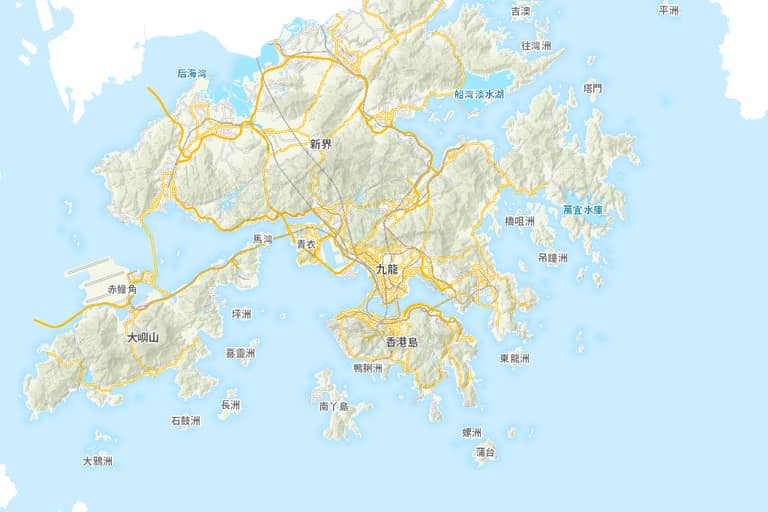 © 地圖由地政總署提供 Map from Lands Department